
On this page
- The problem: the student list is in Excel, the software is empty
- How EduFusion solves it
- What's inside EduFusion's student data Excel sheet import
- How it works
- Why EduFusion for importing student data
- Student lists: EduFusion vs Excel vs a register
- Who it's for
- Frequently asked questions about student data Excel sheets
The problem: the student list is in Excel, the software is empty
Many schools in Bangladesh already keep their students in an Excel sheet, often one file per class. Moving to new software usually means typing every name again, so many schools put it off.
Every class sheet looks different
One teacher writes "Father", another "Guardian Name", and the columns are never in the same order.
Typing it all again
Entering a class of 60 students by hand, with both parents' phone numbers, is slow work and easy to get wrong.
Gaps and wrong numbers
Blank roll numbers and phone numbers with a missing digit turn up in almost every real sheet.
No record of what went in
After an upload, nobody is sure which students were added and which were skipped.
How EduFusion solves it
EduFusion reads the sheet you already have. You tell it which column is which, it fills the gaps it can, and it keeps a record of every import, including the rows that failed.
Before
Typing each student into the software by hand, or giving up and keeping the Excel file as the real record.
With EduFusion
Save the sheet as CSV, match the columns once, and the whole class is in EduFusion, with a history of what was imported.
What's inside EduFusion's student data Excel sheet import
From a blank template to a class of students with roll numbers, guardians and fees.
Free student data Excel sheet template
Download the free student data template (Excel). It has a column for every field EduFusion imports, one example row to replace with your students, ready-made lists for Gender and Academic Group, and an Instructions sheet in English and Bangla. The phone and ID columns are already set to Text, so Excel keeps the leading 0. Prefer CSV? Get the CSV version.
CSV upload, from Excel or Google Sheets
EduFusion imports CSV files. In Excel, choose Save As and pick CSV; in Google Sheets, download the sheet as CSV. An .xlsx file can't be uploaded directly.
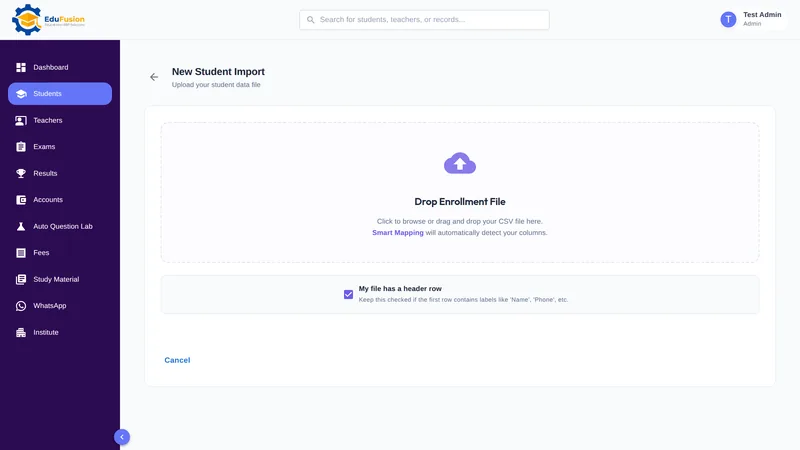
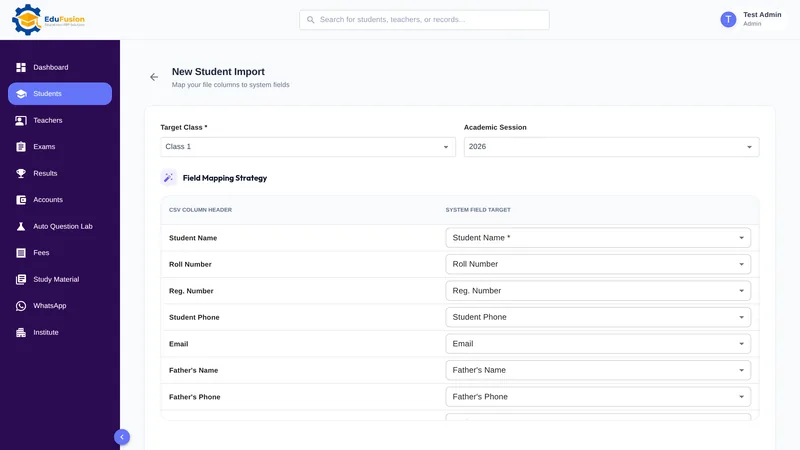
Choose the class and academic session
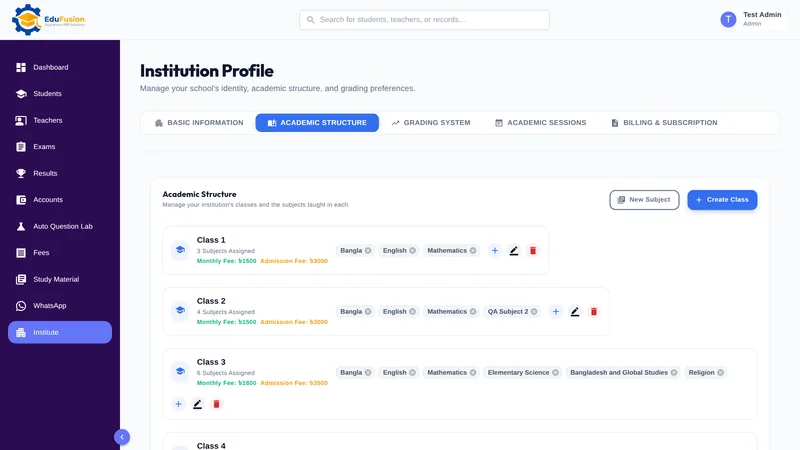
Each import goes into the class and session you pick, so keep one sheet per class. The class and session come from your academic setup.
Match each column to a field
Your headings don't need to match ours. Tell EduFusion which column holds the student's name, which holds the father's phone, and so on. Only Student Name is required.
Roll numbers and phone numbers handled
A missing roll number is filled in automatically. A phone number that isn't in the 01XXXXXXXXX format is dropped, and the rest of the row is still imported.
Fees, groups and WhatsApp preference too
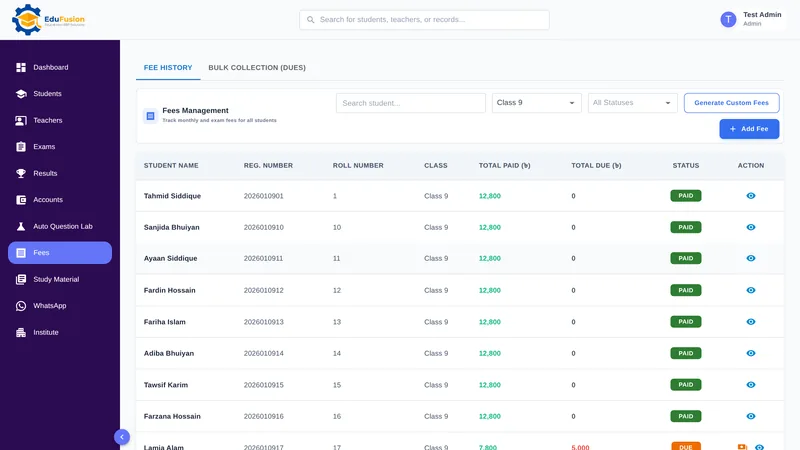
Bring in each student's monthly fee, admission fee, academic group and WhatsApp preference from the sheet, so fees and messages are ready from the first day.
Progress screen and Import History
Watch the progress while the import runs. Import History keeps every import with its details and lists the rows that failed, so you can fix them and upload them again.
How it works
- Download the free template, or open the student list you already have.
- Keep one sheet per class, with one row per student and at least the student's name.
- Save the sheet as CSV.
- In EduFusion, start a bulk import, choose the class and academic session, and upload the file.
- Match each column to an EduFusion field and start the import.
- Check Import History for any failed rows, fix them and upload them again.
Why EduFusion for importing student data
Made for school lists here
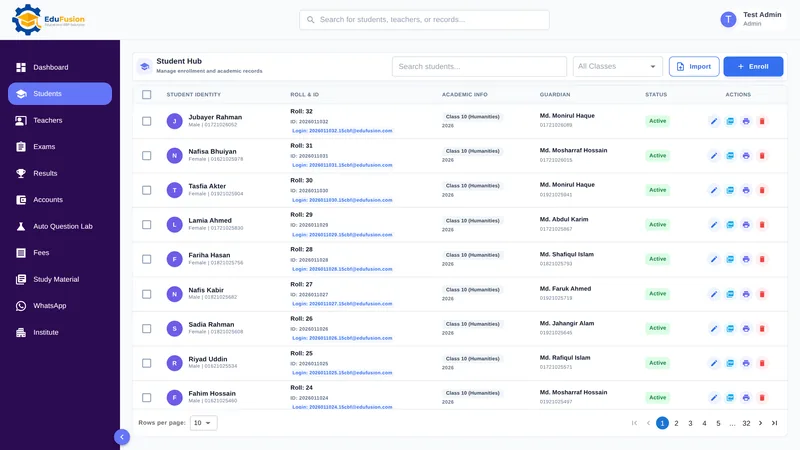
Roll and registration numbers, father's and mother's phone numbers, academic groups and Bangladeshi mobile numbers (01XXXXXXXXX): the columns schools here really keep.
Your columns, your order
Match your own headings to EduFusion's fields, so you don't have to rearrange the sheet first.
Ready for fees, results and messages
Imported students are ordinary student records: you can generate their fees, enter their marks and message their guardians straight away.
A record of every import
Import History shows what came in and which rows failed, so nothing goes missing without you knowing.
Clear price, every feature
From ৳2,499 a month for up to 200 students, with bulk import, results, fees and everything else included.
Try it with your own sheet
Use EduFusion free for 30 days. Import a real class before you pay anything.
Student lists: EduFusion vs Excel vs a register
Excel is a good place to collect and tidy a student list, and our template is made for exactly that. The difference comes when the list has to become records the rest of the school uses.
| What you need | Admission register | Excel or Google Sheets | Separate tools | EduFusion |
|---|---|---|---|---|
| Collect a class list | Written by hand | Works well | Each tool keeps its own list | Import the sheet you have |
| Different column names and order | Not relevant | Rearranged by hand | Depends on the tool | Match columns to fields |
| Missing roll numbers | Left blank | Blank cells | Depends on the tool | Filled in automatically |
| Wrong phone numbers | Spotted by eye, if at all | Only with data validation | Depends on the tool | Invalid ones dropped, row kept |
| Record of what was added | None | Version history, at best | Depends on the tool | Import History with failed rows |
| Linked to fees, results and messages | No | No | Rarely | Yes, as soon as they're imported |
Who it's for
Any school, college or coaching centre in Bangladesh that already has its students in Excel and wants them in EduFusion without typing them again.
- Schools starting with EduFusion, who want every class in during the 30-day free trial.
- The office at the start of a session, adding new students from the admission list.
- Coaching centres, whose batch lists already live in Excel or Google Sheets.