
On this page
- The problem: families can't see what the school already knows
- How EduFusion solves it
- What's inside EduFusion's school student portal
- How it works
- Why EduFusion for a student portal
- Sharing results and fees: EduFusion vs a notice board vs shared files
- Who it's for
- Frequently asked questions about the student portal
The problem: families can't see what the school already knows
In many schools in Bangladesh, results go up on a notice board, fee records stay in the office and class notes travel as photocopies. Families who want to check something have to call or visit the office.
The office phone never stops
"Are the results out?" and "What do we still owe?" are asked again and again, though the answers are already in the school's records.
Results on a notice board
A printed result sheet on the wall shows every student's marks to everyone who walks past.
Notes get lost
Class notes shared as photos in a chat are hard to find a week later, and photocopies go missing.
Paper receipts at home
Families keep fee receipts in a drawer and can't tell which months are paid without asking the office.
How EduFusion solves it
EduFusion gives every student a private portal that reads straight from the school's records. When you publish results, record a fee payment or upload a PDF for a class, the student sees it, and nobody types anything twice.
Before
A notice board for results, receipts in a drawer, photocopied notes and calls to the office.
With EduFusion
One student login with results, fee history and class notes, and a push notification when results are out.
What's inside EduFusion's school student portal
Everything a student, and their family, needs to see from the school, behind one login.
A dashboard for each student
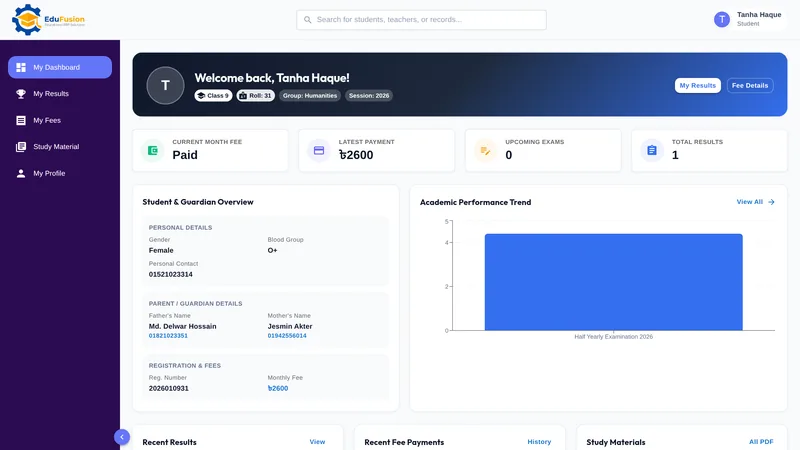
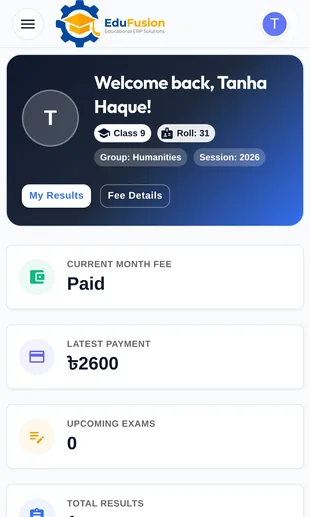
Name, class, roll, group, session, registration number and guardians' contact details, with this month's fee status, the latest payment, upcoming exams, the number of results, a performance chart, recent results, recent payments and study materials.
Check exam results online with GPA
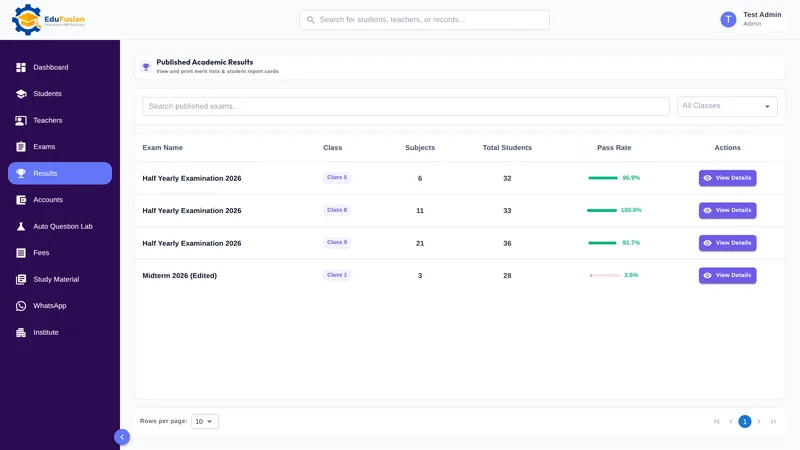
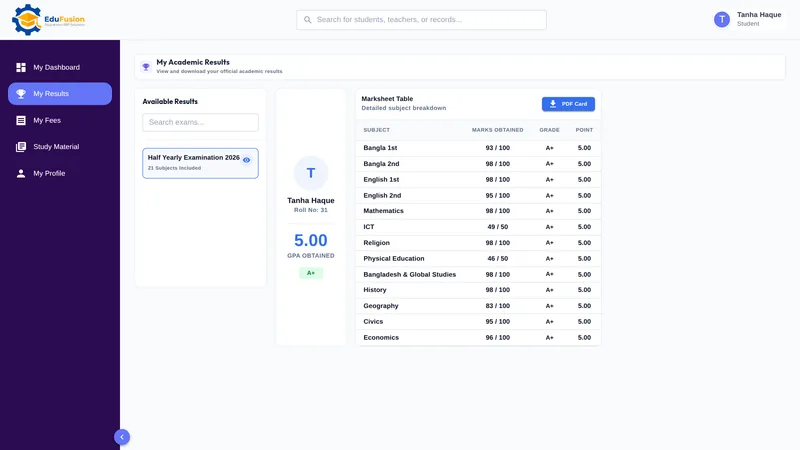
My Results lists every published exam with subject marks, grades and GPA, so students see their results as soon as you publish them. Students can also download their own report card as a PDF from here. Families also get the same result on WhatsApp when it is published: see exam results on WhatsApp.
Fee history in My Fees
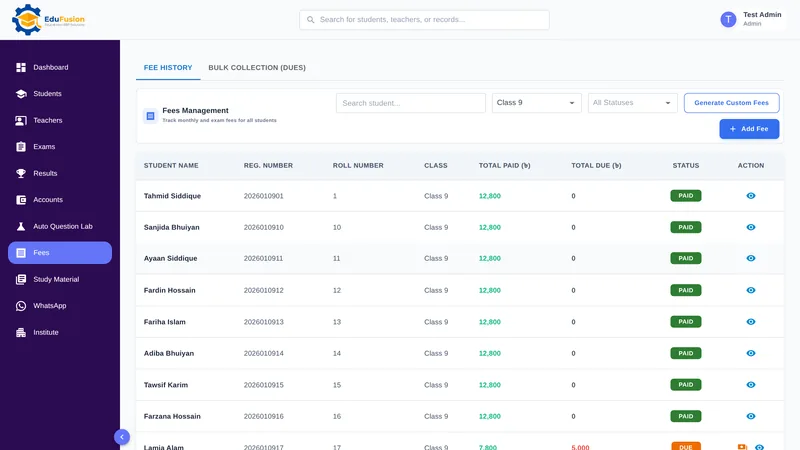
My Fees shows the student's payment history, and the dashboard shows whether this month's fee is paid. Payments arrive from fee management as the office records them.
Download class notes from the student portal
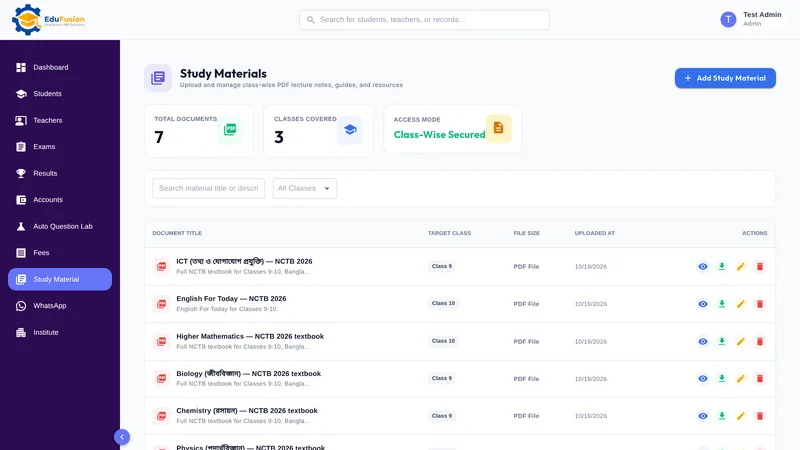
In Study Material, students preview and download the PDFs you upload for their class. Files are private: a student sees only their own class's files.
Push notification when results are out
When the admin publishes an exam's results, students get a push notification, so nobody has to keep checking or call the office.
Installs on the phone like an app
Open the portal in the phone's browser and install it to the home screen. It's an installable web app, not a native app from the Play Store or App Store, and it works on a computer too.
Only their own information
A student sees only their own results, fees and My Profile page, never another student's, and can't open any admin page. Passwords are stored hashed, and sessions end after a day without use.
How it works
- Give each student their own portal login.
- The student signs in on a phone or a computer, and can install the portal on the phone like an app.
- Publish an exam's results; students get a push notification and see them in My Results.
- Record fee payments as usual; each student sees them in My Fees.
- Upload class notes as PDFs; students in that class preview and download them in Study Material.
Why EduFusion for a student portal
Fewer calls to the office
Results, fees and notes are where families can check them, so fewer questions reach the office.
Private for each student
Each student sees only their own information. Results are never on show to the whole class.
No app store needed
The portal installs from the browser and opens like an app, with nothing to download from a store.
Connected to the whole school
Results, fees and study material come straight from what the office already records.
Clear price, every feature
From ৳2,499 a month for up to 200 students, with the portal, results, fees and everything else included.
Try it on your own data
Use it free for 30 days. Give a few students a login and publish one exam's results before you pay anything.
Sharing results and fees: EduFusion vs a notice board vs shared files
A notice board and a shared file still work, and many schools use both. The difference is privacy, and how much a family can check without calling the office.
| What you need | Notice board and paper slips | Excel files shared by message | Separate tools | EduFusion |
|---|---|---|---|---|
| Check exam results | Notice board or report card day | A file sent to a group | A separate result website | My Results, with grades and GPA |
| Results kept private | Everyone sees the board | Everyone in the group gets the file | Depends on the tool | Each student sees only their own |
| Fee history | Paper receipts at home | Ask the office | A separate payment app | My Fees |
| Class notes | Photocopies | Files lost in a chat | A separate drive or LMS | Study Material, private to the class |
| Know when results are out | Wait for an announcement | Wait for the message | Depends on the tool | Push notification |
| Use on a phone | No | Yes, if the file opens | Often another app to download | Installs from the browser |
| One login for everything | Not applicable | No login | Several logins | Yes, one student login |
Push notifications and apps in other school software
Only 2 of the 10 school management products we checked on 19 October 2026 list push notifications on their websites: Edufy and Smart Academic System. EduFusion's student portal sends one when results are published. Several of them list native Android or iOS apps, which EduFusion doesn't have: the portal installs from the browser instead. "Not listed" means we didn't find it there, not that the product can't do it.
| Listed on the website | School360 | Edufy | Smart Academic System | ClassMate | EduFusion |
|---|---|---|---|---|---|
| Push notifications | Not listed | Listed | Listed | Not listed | Yes, when results are published |
| Native mobile app (Play Store or App Store) | Listed (Android) | Listed (Android; iOS at extra charge) | Listed (Android and iOS) | Not listed | Installable web app, not a store app |
Checked on 19 October 2026; features change, so check each vendor's site.
Who it's for
Every student at a school, college or coaching centre in Bangladesh that uses EduFusion, and the families who check results and fees with them.
- Students, who check results, fees and class notes on their own phone.
- Families, who see the same results and fee history through the student's login, without calling the office.
- The office, which gets fewer "Are the results out?" calls.
- The principal, who publishes results once and knows every student can see their own.