
On this page
The problem: exam marks copied from paper to paper
After every half-yearly and annual exam, mark sheets reach the office from each subject teacher. Someone copies them into a register or an Excel file, then works out every grade by hand before the result can be announced.
Copying errors
Every copy from a teacher's mark sheet to the register is one more chance to write 67 as 76.
Subjects with different totals
When one subject is out of 100 and another out of 50, a single formula or a quick mental sum gives the wrong percentage.
Absent or zero?
A blank cell can mean the student was absent, was expelled, or that nobody has entered the mark yet.
Grades worked out one by one
Looking up each subject's grade and averaging the points is slow, and one slip changes a student's GPA.
How EduFusion solves it
In EduFusion, each exam belongs to a class and lists its subjects. The office enters each subject's marks once, with the total and the student's status, and EduFusion works out the grade and GPA from your grading rules as it saves.
Before
Teachers' mark sheets copied into a register or an Excel file, then grades and GPA worked out by hand.
With EduFusion
Marks entered once per subject, with totals and status. Grades and GPA are ready as soon as the marks are saved.
What's inside EduFusion's school exam management software
Everything from creating the exam to publishing the result.
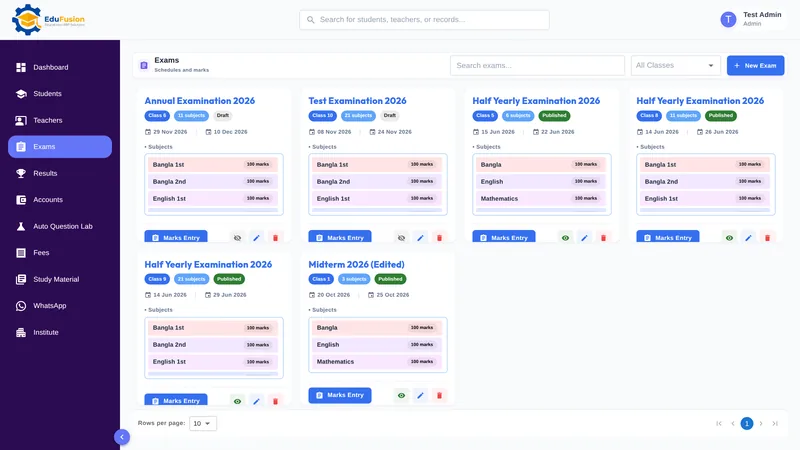
Half-yearly and annual exams for every class
Create an exam with a name, the class, its subjects and start and end dates. Make one for each class: Half-Yearly, Annual, a model test or any other exam you hold.
Subject-wise marks entry
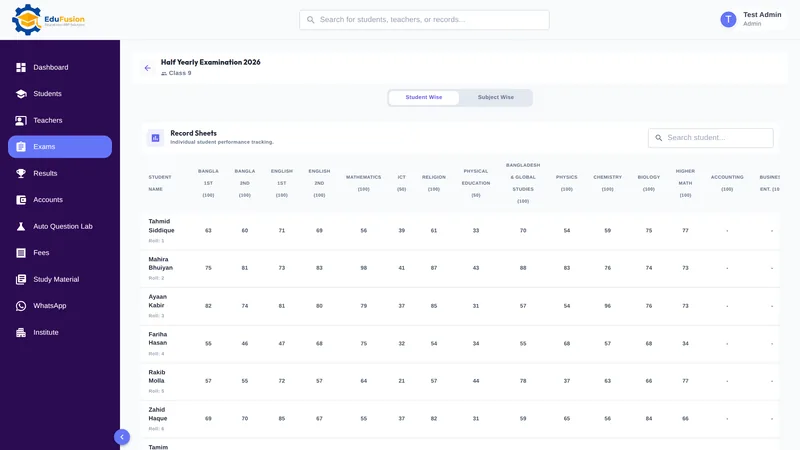
Choose the exam and a subject, then enter the whole class's marks, one subject at a time. This is the marks entry the office uses after each exam, not a test that students take online.
Different total marks per subject
Each mark carries the subject's total, so a 50-mark subject and a 100-mark subject are both turned into the right percentage and grade.
Absent and expelled students
Mark each student Present, Absent or Expelled, so a missing mark is never a mystery.
A comment with any mark
Add an optional comment to a mark, for example a short remark from the subject teacher.
Grades and GPA as you save
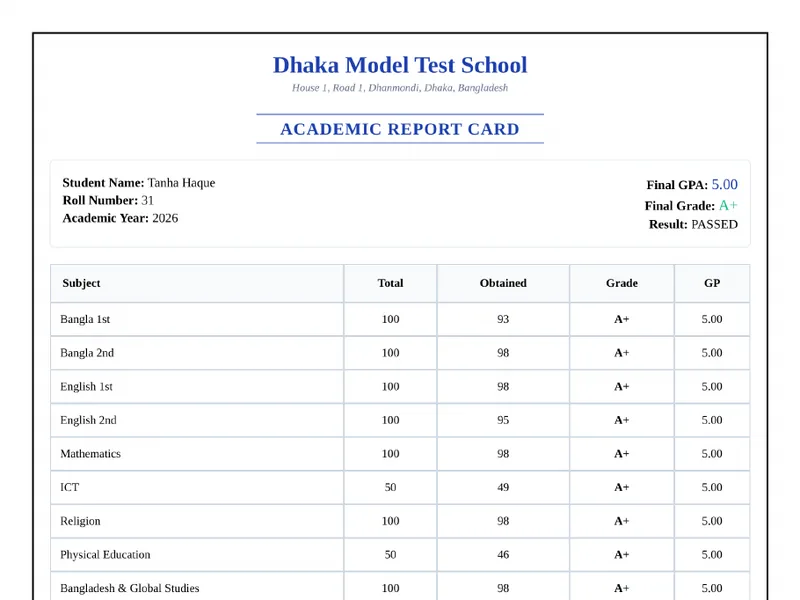
Each subject's grade and the student's GPA are worked out from your grading rules as marks are saved. See how results are built in the school result software.
Publish when you're ready
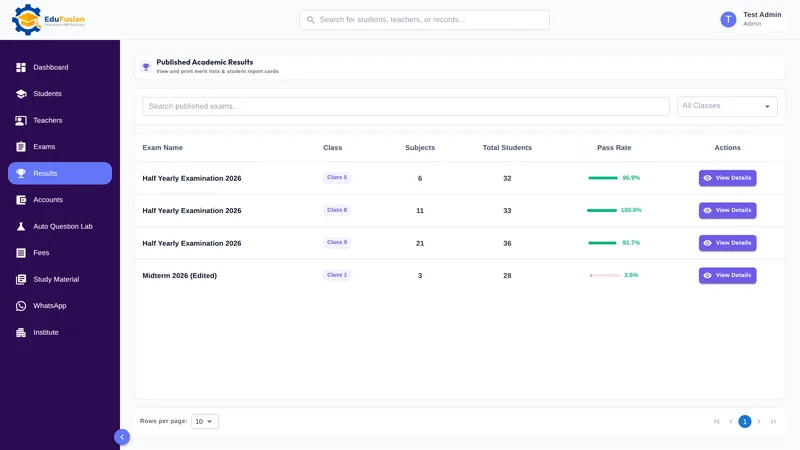
Results stay with the office until you publish them. Then students see them in the student portal and get a push notification.
How it works
- Set your grading rules, classes and subjects once in the setup wizard.
- Create the exam: its name, the class, the subjects, and the start and end dates.
- After the exam, collect each subject teacher's mark sheet.
- Enter the marks subject by subject: marks obtained, total marks, status and an optional comment.
- Check the class result: grades and GPA are already worked out.
- Publish the results; students see them in the portal and get a push notification.
Why EduFusion for school exams
Made for exams here
Half-yearly and annual exams, subjects with their own totals, religion as separate subjects and grade points on the 5.00 scale, the way Bangladeshi schools run exams.
Marks flow into results
The marks you enter become results, report cards and the class merit list without being copied anywhere.
A clear status for every mark
Present, Absent or Expelled is saved with each mark, so the class result tells the full story.
Students hear when results are out
Publishing sends a push notification, and each student sees only their own marks.
Clear price, every feature
From ৳2,499 a month for up to 200 students, with exams, results, report cards and the Question Lab included.
Try it on a real exam
Use it free for 30 days. Enter one exam's marks and see the grades before you pay anything.
Exam marks: EduFusion vs Excel vs a mark register
Excel handles one class's marks well if someone builds the formulas carefully, and many schools do exactly that. Here is how the options compare across a whole exam season.
| What you need | Mark register | Excel or Google Sheets | Separate tools | EduFusion |
|---|---|---|---|---|
| Set up an exam for a class | A new page in the register | A new sheet each time | Depends on the tool | Name, class, subjects and dates saved |
| Subjects with different totals | Worked out by hand | Fine with careful formulas | Depends on the tool | Total saved with each mark |
| Absent or expelled students | A note or a blank | A blank cell or a text note | Depends on the tool | Status on every mark |
| Grade and GPA | Looked up by hand | Formulas, if nobody breaks them | Often a separate result tool | Worked out as marks are saved |
| Remarks on a mark | In the margin | A comment column | Depends on the tool | Optional comment on each mark |
| Students see their marks | Notice board | A printed copy | Rarely | Student portal, after you publish |
| Linked to report cards and the merit list | No | Separate sheets | Export and combine | Yes, from the same marks |
Who it's for
Any school, college or coaching centre in Bangladesh that holds its own exams and enters the marks afterwards, from monthly class tests to the annual exam.
- The exam committee or office staff, who collect the mark sheets and enter the marks.
- The principal, who checks the class result before it is published.
- Students and their families, who see published marks in the student portal.