
On this page
- The problem: student records are easier to lose than to protect
- How EduFusion solves it
- What's inside EduFusion's cloud-based school management software
- How it works
- Why EduFusion for your school's data
- Keeping student data: EduFusion vs Excel vs a register
- Who it's for
- Frequently asked questions about cloud-based school software
The problem: student records are easier to lose than to protect
Most schools in Bangladesh keep student details in registers, admission forms and Excel files on a shared office computer. Moving online raises a fair question: who else will be able to see this information?
Files travel without control
An Excel sheet of students' phone numbers gets copied to a pen drive or forwarded in a chat, and nobody knows how many copies exist.
One password everyone knows
One office computer, one password the whole staff shares, and no way to tell who opened what.
Everyone sees everything
In a shared file, someone who only needs a class list can also see fees and guardians' phone numbers.
"It's on the cloud" explains nothing
Principals are told their data is online, but rarely get a plain answer about who can reach it.
How EduFusion solves it
EduFusion keeps your school's records in one online system with clear walls: between your institute and every other institute, and between the admin and students. You can tell your committee exactly who can see what.
Before
Student records in registers, pen drives and shared Excel files, with no clear answer to who has a copy.
With EduFusion
One online record per student. Your institute's data is separate from others', students see only their own pages, and study files open only for signed-in members of your institute.
What's inside EduFusion's cloud-based school management software
These are the safeguards EduFusion has today. We list only what the software does, nothing more.
Keep each school's data separate
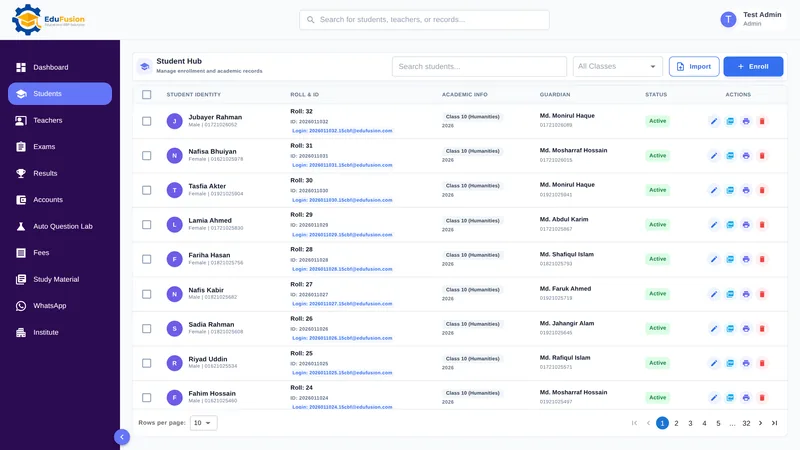
Each institute's records are kept separate from every other institute's. Another school using EduFusion can't see your students, fees or results, and you can't see theirs.
Who can see student data: access by role
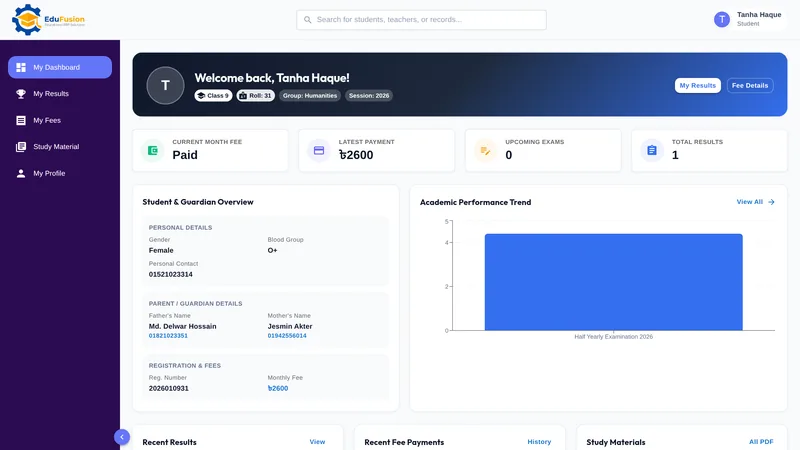
The institute admin manages settings, finance and student lists. Students sign in to the student portal and reach only their own pages: their own results, fees and study materials, never another student's. They can't open any admin page.
Private study files
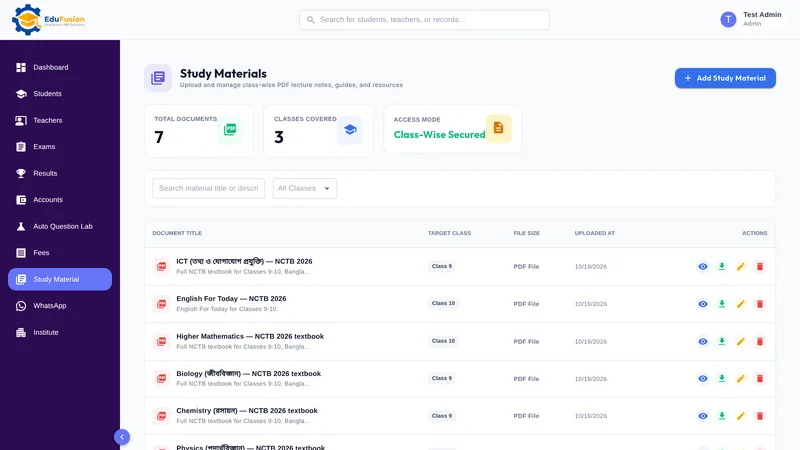
PDFs you upload for a class open only for signed-in members of your institute, and a student sees only their own class's files. There are no public links.
Passwords stored hashed
Passwords are stored hashed with bcrypt, never in plain text. Encourage staff and students to choose a password they don't use anywhere else.
Limits on password guessing
Sign-in attempts are limited to 5 a minute, which slows down anyone trying to guess a password. Sessions end after a day without use, so a sign-in left open on a shared computer doesn't stay open for good.
Suspended accounts blocked at once
When an account is suspended, it is blocked immediately, including any sessions that are already open.
Payments checked, transaction IDs used once
When your institute pays for a plan, EduFusion verifies the transaction ID before the plan changes, and the same transaction ID can't be used twice.
How it works
- Sign up: your institute's data is kept separate from every other institute's from the start.
- As the admin, add your students, teachers, fees and results.
- Give each student their own login to the student portal; they see only their own pages.
- Upload study files for a class; only signed-in members of your institute can open them, and students see only their own class's files.
- Sign out on shared computers; sessions also end on their own after a day without use.
Why EduFusion for your school's data
Clear walls between schools
Your institute's data is kept separate from every other school's, and on WhatsApp an institute can message only its own current students.
Students see only their own
A student sees their own results, fees and files, never a classmate's, and can't open any admin page.
No pen drives needed
Work in any modern browser on a phone, tablet or computer, with nothing to install and no files to carry around.
Honest about what we do
This page lists only safeguards the software has today. If you need something we haven't listed, ask us before you decide.
Every plan, every safeguard
From ৳2,499 a month for up to 200 students. Every plan includes every feature; plans differ only by the number of students.
Try it first
Use it free for 30 days, with no payment details needed to start.
Keeping student data: EduFusion vs Excel vs a register
A register in a locked cupboard is reasonably safe, and a password-protected Excel file is better than an open one. The real question is how well each way controls who sees what once more people need the data.
| What matters | Registers and files in a cupboard | Excel or Google Sheets | Separate tools | EduFusion |
|---|---|---|---|---|
| Who can see the records | Anyone with the cupboard key | Anyone with the file or link | Different in each tool | Set by role: admin or student |
| Students see only their own | No | No | Rarely | Yes, in the student portal |
| Copies in circulation | Photocopies | Pen drives, email, chat | One copy in each tool | One online record |
| Study files | Handed out on paper | Shared by link or chat | Depends on the tool | Private, for signed-in members only |
| Passwords | Not applicable | One file password, if any | A password for each tool | Hashed, with sign-in limits |
| Kept apart from other schools | Your own cupboard | Your own file | Depends on each provider | Yes, kept separate |
| Work away from the office | Office only | Only if stored online | Usually online | Any browser, any device |
Who it's for
Principals, owners and managing committees of schools, colleges and coaching centres in Bangladesh who want to move records online and need a plain answer about safety first.
- The principal, who has to answer the committee's question: is our data safe online?
- The institute admin, who manages student lists, fees and settings and needs one account with full control.
- Students and their families, who want results and fees on a phone without seeing anyone else's.