
On this page
The problem: the principal finds out at month-end
In many schools in Bangladesh, the principal learns how the month went only when the accounts desk finishes its report. Until then, fee collection, expenses and unpaid salaries sit in different registers and files.
Reports arrive late
A month-end report tells you about a problem weeks after you could have done something about it.
Numbers live in different places
Fees in one register, expenses in the cash book, salaries in another sheet: one question means visiting three desks.
Dues and unpaid salaries stay hidden
Without a running count, nobody notices that fee dues are growing or that some teachers haven't been paid yet.
An Excel dashboard needs daily upkeep
A dashboard built in Excel only works if someone copies in fresh numbers every day, and that is the first job to slip in a busy week.
How EduFusion solves it
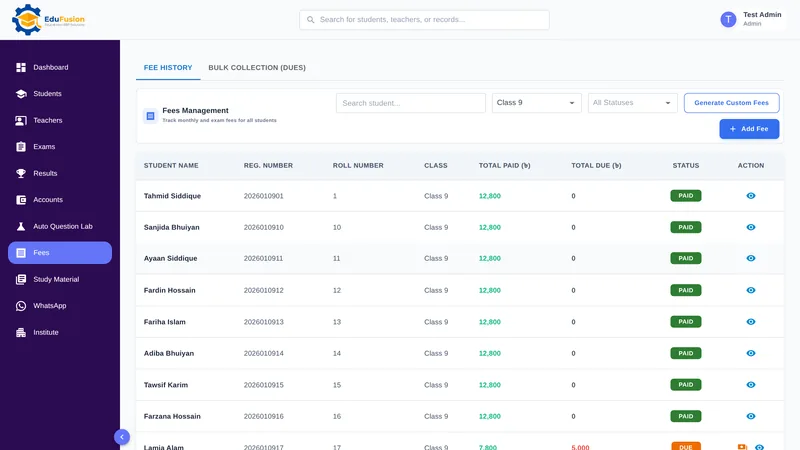
EduFusion's dashboard reads from the records the office already keeps: admissions, fee payments, expenses, salaries, exams and results. When the accounts desk records a payment, the dashboard's numbers move with it, so nobody has to prepare a report first.
Before
Wait for the accounts desk's month-end report, then ask around for exam dates and new admissions.
With EduFusion
Open the dashboard at any time to see students, fees, expenses, payroll, recent results and upcoming exams on one screen.
What's inside EduFusion's school management dashboard
Everything on the dashboard comes from records the office already keeps in EduFusion.
Totals for students, teachers, fees and expenses
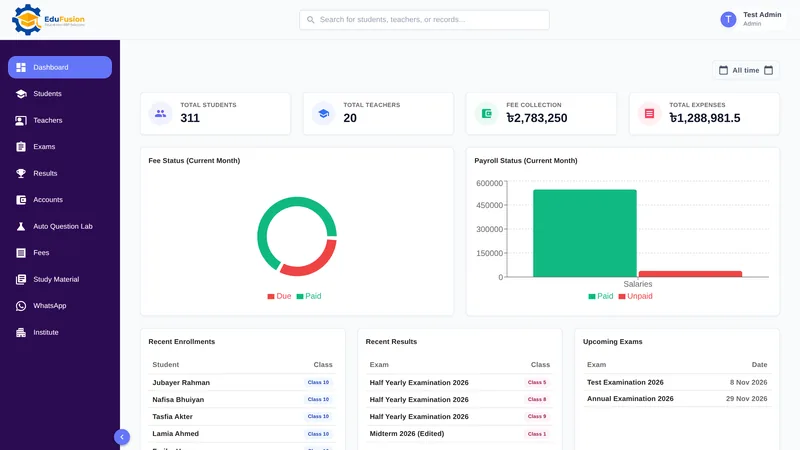
Four cards at the top show total students, total teachers, fee collection and total expenses (general expenses plus salaries paid), with amounts in taka.
Monthly fee status report at a glance
This month's fee status chart splits the month's fees into paid and due, so you can see at once how much is still to come in. The details stay on the fees screen.
Payroll status report for teachers
This month's payroll status chart sets teachers' salaries paid against unpaid. Salaries are paid from Accounts, in full or in part; see the teacher salary guide.
A principal's view of fee collection and expenses
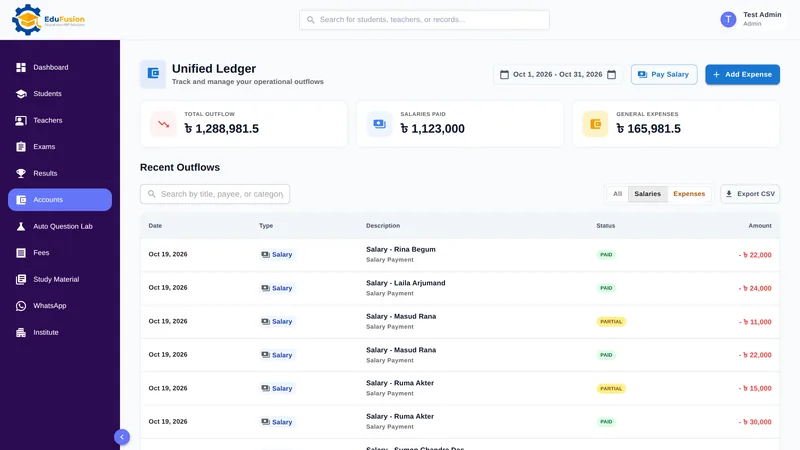
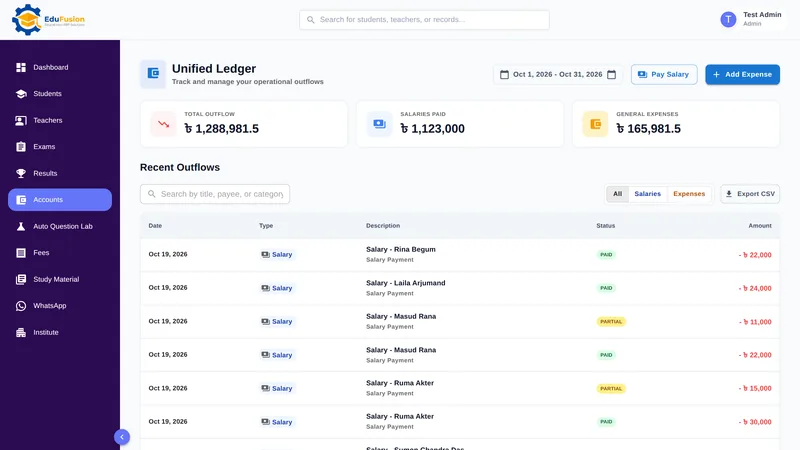
See money coming in from fees beside money going out on expenses. For the details of each expense or salary payment, open the accounts ledger, which exports to CSV.
Recent enrolments and recent results
Two short lists show the newest students with their class, and the latest exam results by exam and class.
Upcoming exams
The exams coming up next, with their dates, taken from the exams you have already created.
Pick the period with a date range
Choose the period you want to look at, such as last month or your own date range: the fee collection and expense totals follow it. The picker starts at All time, which covers every record.
How it works
- Add your students and teachers, or import students from a CSV file.
- Record fees, expenses and salaries as they happen, each on its own screen.
- Create exams and publish results as usual.
- Open the dashboard to see the totals, this month's fee and payroll status, and the latest activity.
- Change the date range when you want to look at a different period.
Why EduFusion for a school dashboard
One set of records
The dashboard reads from the same student, fee, salary, exam and result records the office uses, so there is no second copy to keep up to date.
No report to prepare
Nobody has to build a monthly summary for the principal. The numbers are there whenever you open the screen.
On a phone or a computer
Check the dashboard from the office computer or your own phone, with nothing to install.
For the admin only
Finance and student lists are for the institute admin. Students sign in to their own portal and never see the school's dashboard.
Clear price, every feature
From ৳2,499 a month for up to 200 students, with the dashboard, fees, results, payroll and everything else included.
Try it on your own data
Use it free for 30 days. Import your students, record a few fees and watch the dashboard fill in.
School dashboard: EduFusion vs Excel vs a register
A well-kept Excel sheet can give a principal a good monthly summary, and many schools use one. The difference is who keeps it up to date, and how often.
| What you need | Registers and a monthly report | Excel or Google Sheets | Separate tools | EduFusion |
|---|---|---|---|---|
| Total students and teachers | Count from the admission register | A formula, if the list is current | In the student software only | On the dashboard |
| This month's fee collection and dues | Wait for the accounts report | Possible if fees are entered daily | In the fee tool, separately | Fee status chart, paid and due |
| Expenses | Cash book | A separate sheet | In the accounts tool | Total on the dashboard |
| Teachers' salaries paid and unpaid | Salary register | A separate sheet | In the payroll tool | Payroll status chart |
| Recent results and upcoming exams | Ask the exam committee | Usually not in the same file | In the exam tool | Listed on the dashboard |
| Look at a different period | Go back through the books | Filter by date | Each tool separately | Date range picker |
| Effort to keep it current | Monthly, by hand | Someone updates it regularly | Export and combine | Nothing extra: it uses daily records |
| Who can see it | Whoever holds the register | Anyone with the file or link | Depends on each tool | The institute admin only |
Who it's for
Heads of schools, colleges and coaching centres in Bangladesh who want the main numbers without waiting for a report, and the admins who run EduFusion day to day.
- The principal or head teacher, who wants this month's fee collection, expenses and payroll in one look.
- The institute admin, who records fees, salaries and results and wants to check that the totals look right.
- The managing committee, who can be shown the screen at a meeting instead of a printed summary.
- Owners of coaching centres, who run the office themselves and want the numbers on a phone.