
On this page
The problem: result cards written one by one
In many Bangladeshi schools, result cards are still filled in by hand or copied from an Excel tabulation sheet, one student at a time. Then someone sorts the whole class again to work out merit positions.
Every mark is copied twice
Marks go into a tabulation sheet first, then get copied again onto each student's card.
One wrong digit changes a result
A copying mistake can turn a pass into an F, and often a parent is the first to notice.
Equal GPAs start arguments
When two students have the same GPA, who ranks higher depends on who sorted the list and how.
Neat cards take extra time
Laying out cards with the school's name and logo is one more job on top of marking the answer scripts.
How EduFusion solves it
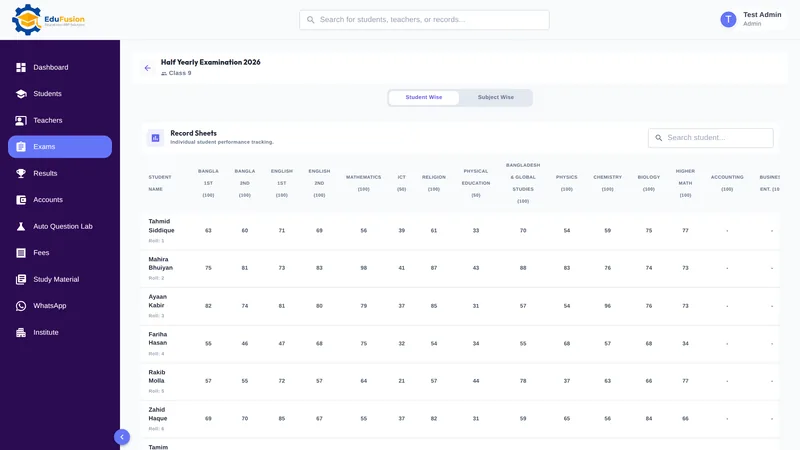
EduFusion builds the report card and the merit list from the same marks you enter for the exam. Grades, GPA and ranks are worked out by the software, so every card matches the class result screen.
Before
A tabulation sheet, hand-copied result cards and a merit list sorted on paper, checked against each other line by line.
With EduFusion
Marks entered once. Each student's report card and the class merit list download as PDF, with your logo and name.
What's inside EduFusion's report card generator
What the exam office needs once the marks are in, from one student's result card to the whole class's merit list.
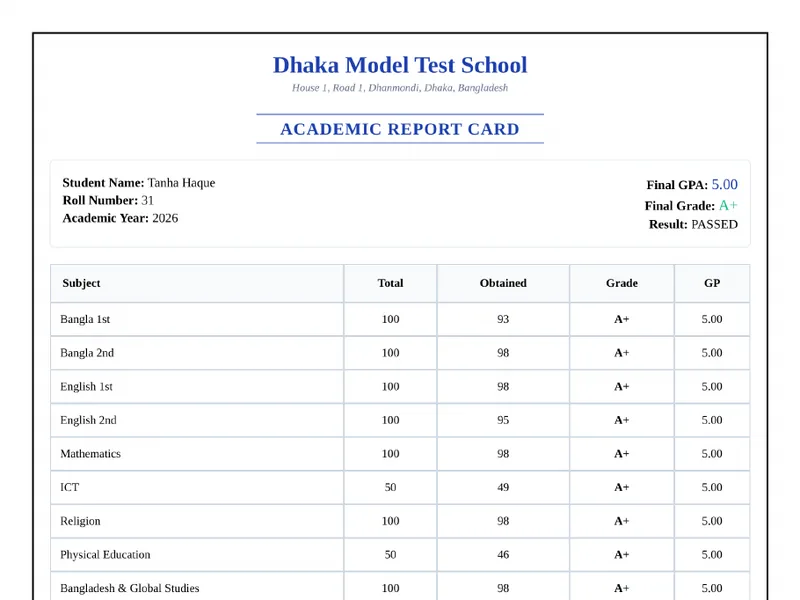
Printable report card PDF for each student
Download a report card for any student from that exam's results, ready to print or send. Report cards are downloaded one student at a time.
Class merit list PDF
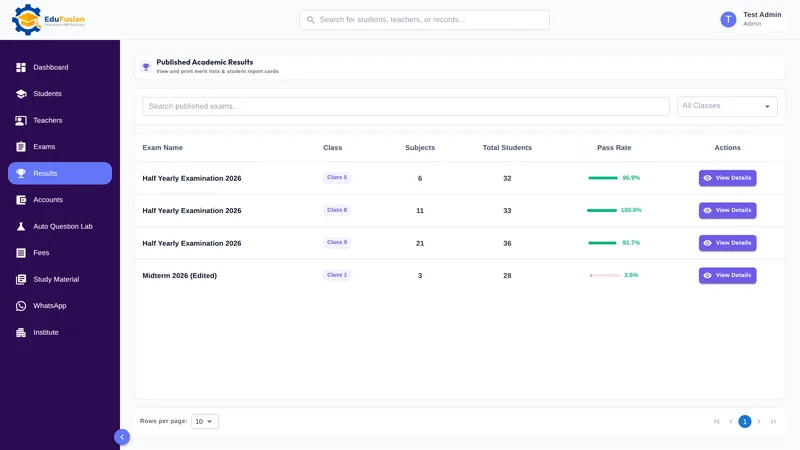
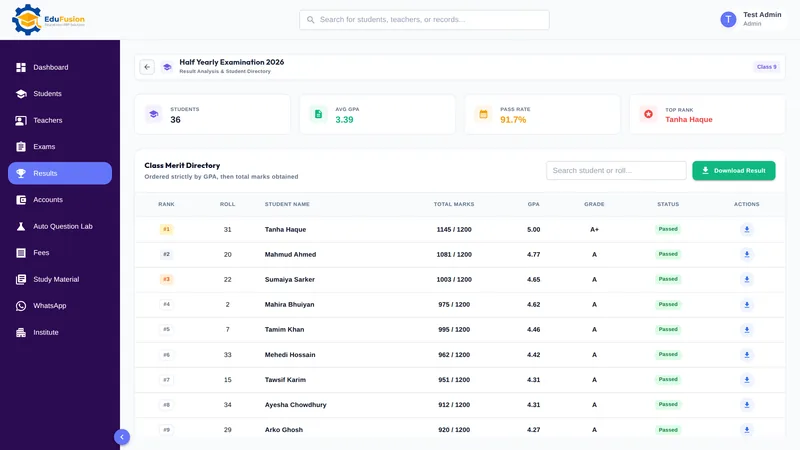
The class result screen shows the number of students, the average GPA, the pass rate and the top rank. Download Result gives you one PDF of the whole class, ranked by GPA and then by total marks.
Merit positions with a clear tie-break
Students are ranked by GPA first. When two students have the same GPA, the one with more total marks comes first, so the merit position is never a matter of opinion.
Your logo and name on every PDF
Both documents carry the logo and name you gave in the branding step of the setup wizard, so they look like your school's own result cards.
Grades and GPA from your own rules
Each subject's grade comes from its percentage and your grading rules, and GPA is the average of the grade points. One F makes the overall result F with GPA 0.00. Read how results are worked out in our school result software guide.
The right religion subject for each student
Religion is set up as separate subjects, such as Islam and moral education or Hindu religion and moral education, and each student is graded only in the religion subject they sat.
Results in the student portal
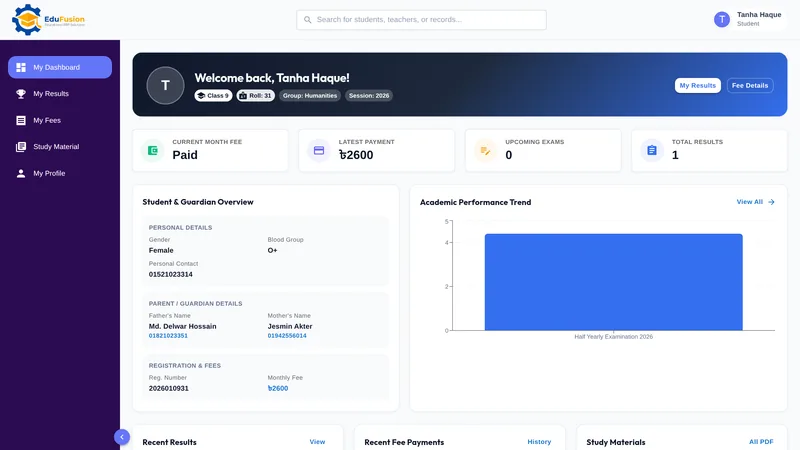
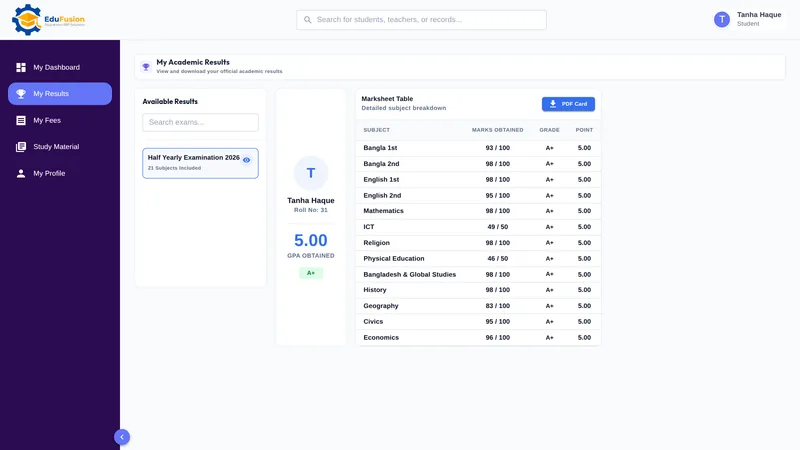
When you publish the results, each student sees their subject marks, grades and GPA in the student portal and gets a push notification.
How it works
- Add your logo and name and set your grading rules in the setup wizard, once.
- Create the exam and enter the marks subject by subject; grades and GPA are worked out as you save.
- Open the class result screen and check the summary and the merit order.
- Click Download Result for the class merit list PDF, and download each student's report card.
- Publish the results so students see them in the student portal.
Why EduFusion for report cards
Made for results in Bangladesh
Grade points from 0 to 5, GPA as their average and one F meaning F: the rules your school already follows.
Connected to exams and the portal
Report cards come from the same marks as the exam, and students see the same results in their portal.
PDFs ready to print
Report cards and the merit list download as PDF with your logo and name, ready to print or send.
Works on any device
Download results on a computer or a phone, with nothing to install.
Clear price, every feature
From ৳2,499 a month for up to 200 students, with results, report cards, fees and the Question Lab included.
Try it on a real exam
Use it free for 30 days. Enter one exam's marks and download the cards before you pay anything.
Report cards: EduFusion vs Excel vs hand-written cards
Excel works well for one small class if someone knows the formulas. Here is how the options compare when you make result cards and merit lists for a whole school.
| What you need | Hand-written cards and register | Excel or Google Sheets | Separate tools | EduFusion |
|---|---|---|---|---|
| Grade and GPA for each subject | Worked out by hand | Formulas you build and check | Depends on the tool | From your grading rules, automatically |
| One F makes the result F | Easy to miss | Needs an extra formula | Depends on the tool | Built in |
| Merit order and equal GPAs | Sorted by hand | Sort by GPA, then total | Depends on the tool | By GPA, then total marks |
| Logo and name on the card | Pre-printed cards | Your own template | Template design work | On every PDF |
| A card for each student | Written one by one | Copy, paste or mail merge | Export and re-enter | PDF from the exam result |
| Class merit list | Written separately | A separate sheet | Often a separate report | One PDF from Download Result |
| Religion subjects | Noted by hand | A column for each religion | Depends on the tool | Graded only in the subject sat |
| Students check results online | No | No | Rarely | Yes, in the student portal |
Who it's for
Any school, college or coaching centre in Bangladesh that hands out result cards after an exam, from a small coaching centre to a school with thousands of students.
- The exam office, which prepares the result cards and the merit list after every term exam.
- The principal, who wants the pass rate and the top of the merit list as soon as the marks are in.
- Students and their families, who see the published results in the student portal.